Apr 03, 2026 • 5 min read
Build Apps Faster with AI (Vibe Coding Explained) 🚀
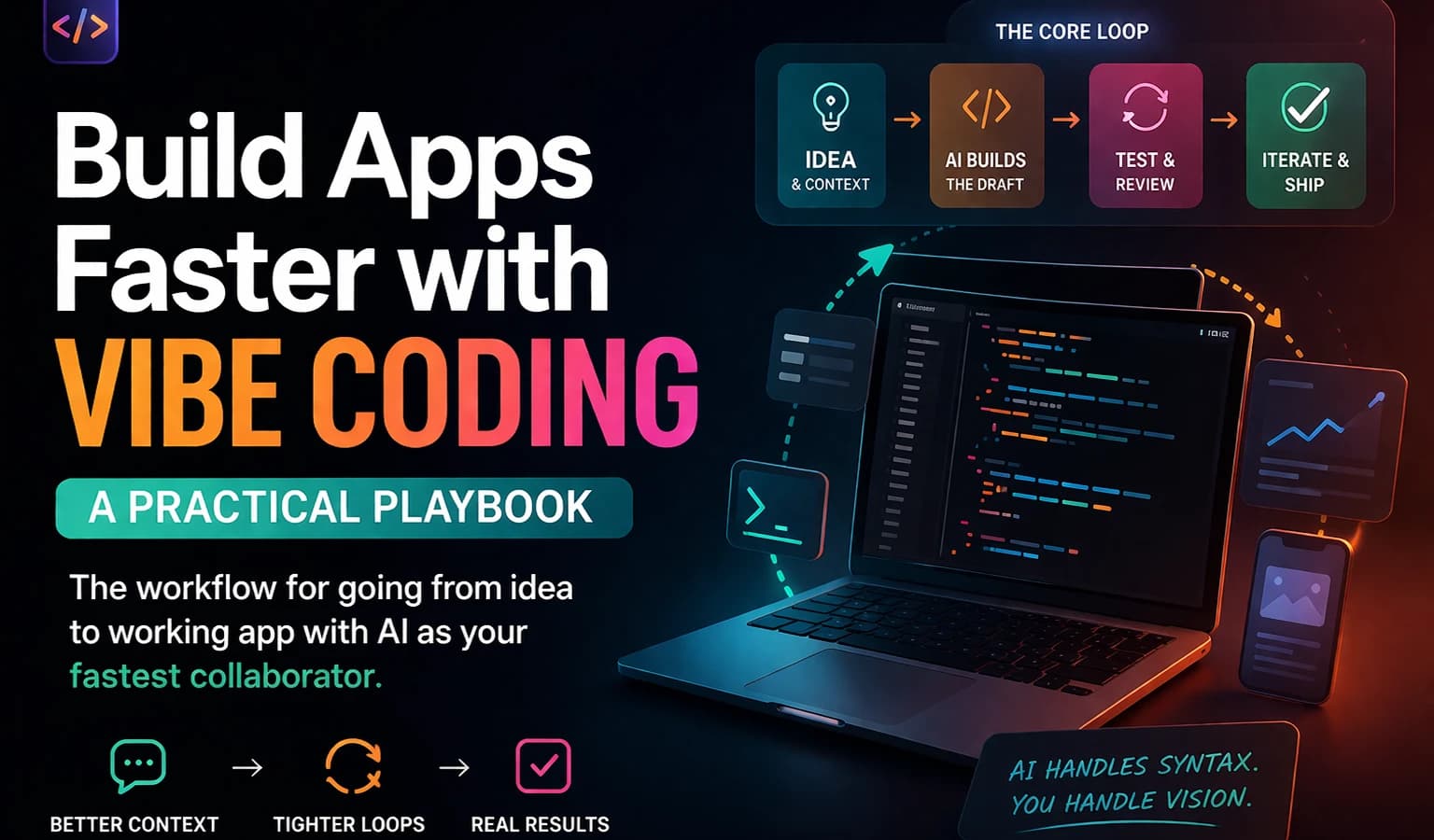
Learn how to build apps faster using AI with the Vibe Coding workflow. This is not about asking AI to generate full apps blindly. It's about using AI as a fast collaborator — combining context, iteration, and the right tools to go from idea to working product quickly. In this guide, you'll learn: - How to structure prompts for real output - The core loop: Context → Build → Test → Iterate - How to avoid common AI mistakes - Real workflow used by developers to ship faster Whether you're building SaaS apps, dashboards, AI tools, or MVPs — this playbook will change how you work. 💡 AI handles syntax. You handle vision. --- Tools mentioned: - ChatGPT - Claude - Cursor - Codex --- If you found this helpful, like 👍 and subscribe 🔔
🚀 Vibe Coding Playbook
AI handles syntax. You handle vision.
A practical, no-fluff workflow for building real products faster — dashboards, internal tools, MVPs, CRUD apps, AI wrappers, and frontend-heavy prototypes. This isn't about one-shotting an app. It's about compressing the path from idea to working version through context, tool-switching, and disciplined iteration.
📖 Table of Contents
- What This Is
- The Core Loop
- Start With Context, Not Code
- My Practical Workflow
- Ideas → Middle Work → Polish
- Prompt Templates
- Switch Tools by Job Type
- The Section-by-Section Rule
What This Is
A general build workflow for anyone who wants to move faster with AI — without getting generic, broken output.
| Build Type | What AI Helps With |
|---|---|
| UI screens | Structure, layout, spacing |
| Logic | API wiring, validation |
| Data fetching | Endpoints, caching |
| Forms | Schema, validation |
| AI apps | Prompt + API glue |
The Core Loop
Feed the model real inputs → Test the output → Iterate in tight loops
Step 1 — Gather Inputs
| Input Category | What to Include |
|---|---|
| Project context | Goals, users, core features, constraints, definition of "done" |
| References | Screenshots, inspiration, docs, links, user flows, API notes |
| Working files | prompt.md, .env notes, real copy, schema, sample data |
Step 2 — Review Outputs
Go section by section and check:
- Buttons, links, and clickable areas work
- Information is correct and current
- Visual hierarchy makes sense
- Responsive behavior works
- Animations and transitions feel intentional
- Each revision improves one concrete area
Core Principle: The first output is a draft. The value comes from the loop, not the first answer.
Start With Context, Not Code
Most weak AI output is not a model problem — it's a context problem.
- Vague instructions → generic work
- Real constraints + examples + files + references → something worth building on
Think of context as the agent's working memory. It's not optional setup. It's part of the product.
| Input Type | What to Collect |
|---|---|
| Product brief | Goals, users, success criteria |
| Visual references | Screenshots, Dribbble, layouts |
| Technical context | Stack, framework, APIs |
| Content | Real copy, placeholders |
| Quality rules | Responsiveness, accessibility |
My Practical Workflow
Where to Find References
- Design: Dribbble, Land-book, Component Gallery, product screenshots, app patterns
- Context files:
prompt.md,.envnotes, docs, screenshots, implementation constraints
The 4-Step Execution Path
1. Discuss the idea
   └── Clarify scope, users, tradeoffs, and the minimum useful version before writing code

2. Create the project context
   └── Set up a clean folder: prompt.md, .env, references, screenshots, technical notes

3. Hand it to the coding agent
   └── Use Codex, Claude Code, Cursor, or another agent with all relevant context loaded

4. Implement → Test → Refine
   └── Review output section by section, fix what's broken, tighten the loop one step at a time
A good project folder is not busywork. It's the difference between a guessing agent and an informed one.
Ideas → Middle Work → Polish
The most productive setup is not "AI does everything." It's a division of labor.
| Phase | Owner | What Happens |
|---|---|---|
| Ideas | Human-led | Direction, product judgment, deciding what should exist |
| Middle Work | AI-accelerated | Scaffolding, implementation, repetitive edits, debugging, iteration loops |
| Polish | Human-led again | Taste, clarity, UX quality, deciding if the product actually feels ready |
Prompt Templates
🏗️ App Prompt
I want you to build [product type or primary job to be done].

Core features:
- [feature]
- [feature]
- [feature]

Inputs and references:
- Tech stack: [Next.js / React / Node]
- Design references: [links or screenshots]
- API notes: [links]

Constraints:
- Mobile first / responsive
- Clean structure

Quality bar:
- No broken links or dead buttons
- Responsive on mobile and desktop
- Clear visual hierarchy
- Working loading / empty / error states
🧠 Planning Prompt
Act as a product and engineering advisor.

Given this idea: [idea]

- Clarify the scope
- Suggest the minimum viable features
- Recommend the fastest tech stack
- List the files, context, and references needed
⚙️ Implementation Prompt
Implement this feature in the existing project.

Rules:
- Prefer the smallest correct change
- Reuse existing patterns
- Explain assumptions before coding
- After implementation, list how to test it
🔍 QA Prompt
Review this output like a QA engineer.

Check:
- Broken links or dead buttons
- Visual hierarchy and spacing
- Mobile layout issues
- Accessibility and contrast
- Incorrect information or weak UX

Give me issues section by section.
Specificity is not about making prompts longer. It's about making them more operational.
Switch Tools by Job Type
| Job | Best Tool Type | Why |
|---|---|---|
| Scope the product | Claude / ChatGPT | Strong depth and reasoning |
| Generate UI | Code agents | Fast structured output |
| Implement logic | Codex / Cursor | Handles real code well |
| Debug errors | Debugging agents | Faster iteration |
| Polish visuals | Human + AI | Needs judgment |
The Section-by-Section Rule
Never review an AI output as a whole. Break it into sections and evaluate each independently:
- Structure — Does the layout match the brief?
- Logic — Does the functionality do what it should?
- Content — Is the copy accurate and intentional?
- Visuals — Does it look right at every breakpoint?
- Edge cases — What happens on empty, error, and loading states?
Fix one section at a time. Stacked feedback creates stacked confusion.
Contributing
Found a better prompt? A smarter workflow step? Open a PR. This is a living playbook.
Built for builders who want to move fast without breaking everything.